Custom email aliases.
One inbox you already use.
CyanDB helps you manage addresses like hello@yourdomain.com and configure them to route to an existing inbox—without running another mailbox.
For domain owners, independent teams, and small businesses.
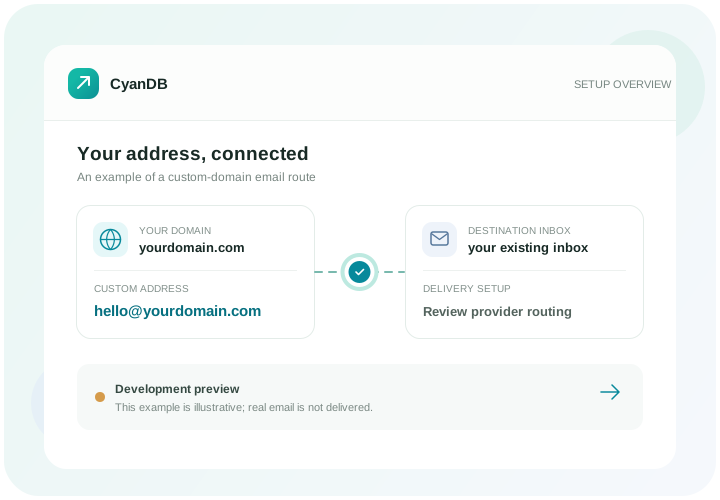
What is custom domain email forwarding?
Custom domain email forwarding lets you use an address at a domain you own—such as hello@yourdomain.com—and direct incoming messages to an inbox you already use. CyanDB is designed to help organize the domain, destination, and alias setup in one place.
A professional address, without another inbox
Use memorable addresses for the work you do, while keeping the inbox workflow you already know.
Give every conversation a clear address
Use separate aliases for client enquiries, projects, or public contact—each tied to your own domain.
Keep the inboxes you already use
Choose an existing destination inbox for an alias instead of creating another mailbox to check.
See setup details in one workspace
Track domain ownership, destinations, routing checks, and alias configuration together.
Looking for ideas? Browse professional email aliases or compare forwarding with a mailbox.
Explore setup guides for freelancers, small businesses, and startups.
Four steps to organize domain email
Review each part of the setup before relying on a new address.
Add a domain you own
Enter your domain and follow the TXT instructions to confirm ownership.
Choose a destination inbox
Add the existing inbox where you want an alias to point, then verify it.
Review mail routing
Check current DNS and provider requirements. MX record changes can affect existing email and need careful review.
Create an address for your work
Choose the alias name and connect it to your domain and destination.
CyanDB email forwarding FAQs
Do I need to create another mailbox?
No. CyanDB is designed to help manage custom-domain aliases that point to inboxes you already use.
Can I send email from a CyanDB alias?
No. CyanDB is for managing receive-and-forward email setup. Sending email from an alias is not supported.
Does CyanDB forward live email?
Real email forwarding is not currently available. CyanDB helps organize and review setup, but its current routing provider is a mock.
Will CyanDB change my DNS records automatically?
No. CyanDB does not change DNS records automatically. Review your email provider’s instructions before changing MX records, because incorrect changes can interrupt existing mail.
Bring your email setup into focus.
Create a workspace to organize domains, destinations, and aliases.
Real email forwarding is not currently available.